Portfolio Project · Email Development
Professional Email
Templates Built
with MJML
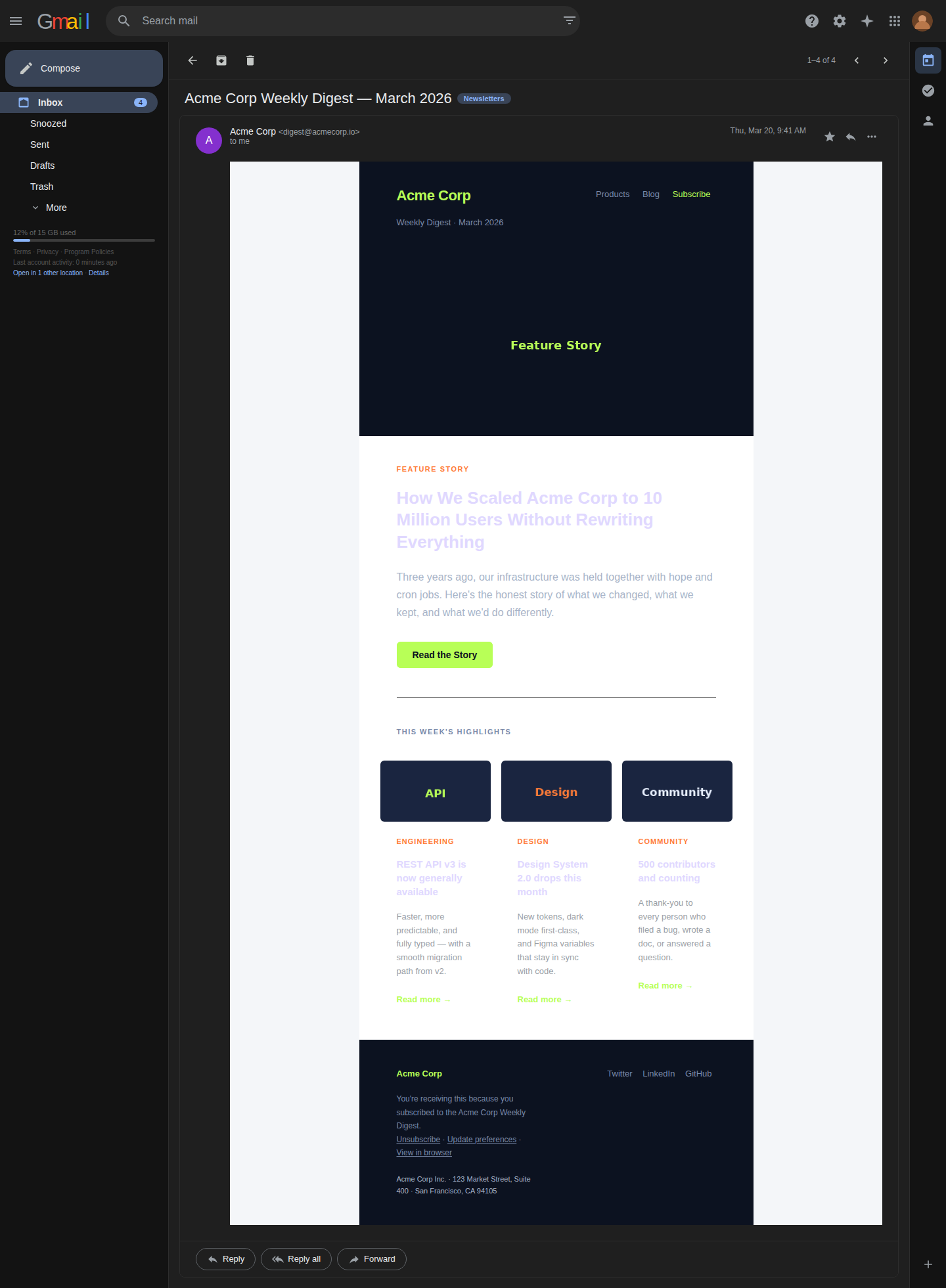
5 production-ready templates — newsletter, transactional, promotional, welcome, and password reset — compiled for cross-client compatibility across Gmail, Outlook, and Apple Mail.
5 Polished Templates
Each template is authored in MJML, compiled to battle-tested HTML, and tested across major email clients. Click any card to inspect the source code and live preview.
Template Inspector
Toggle between a live preview, the MJML source, and the compiled HTML output.
Cross-Client Compatibility
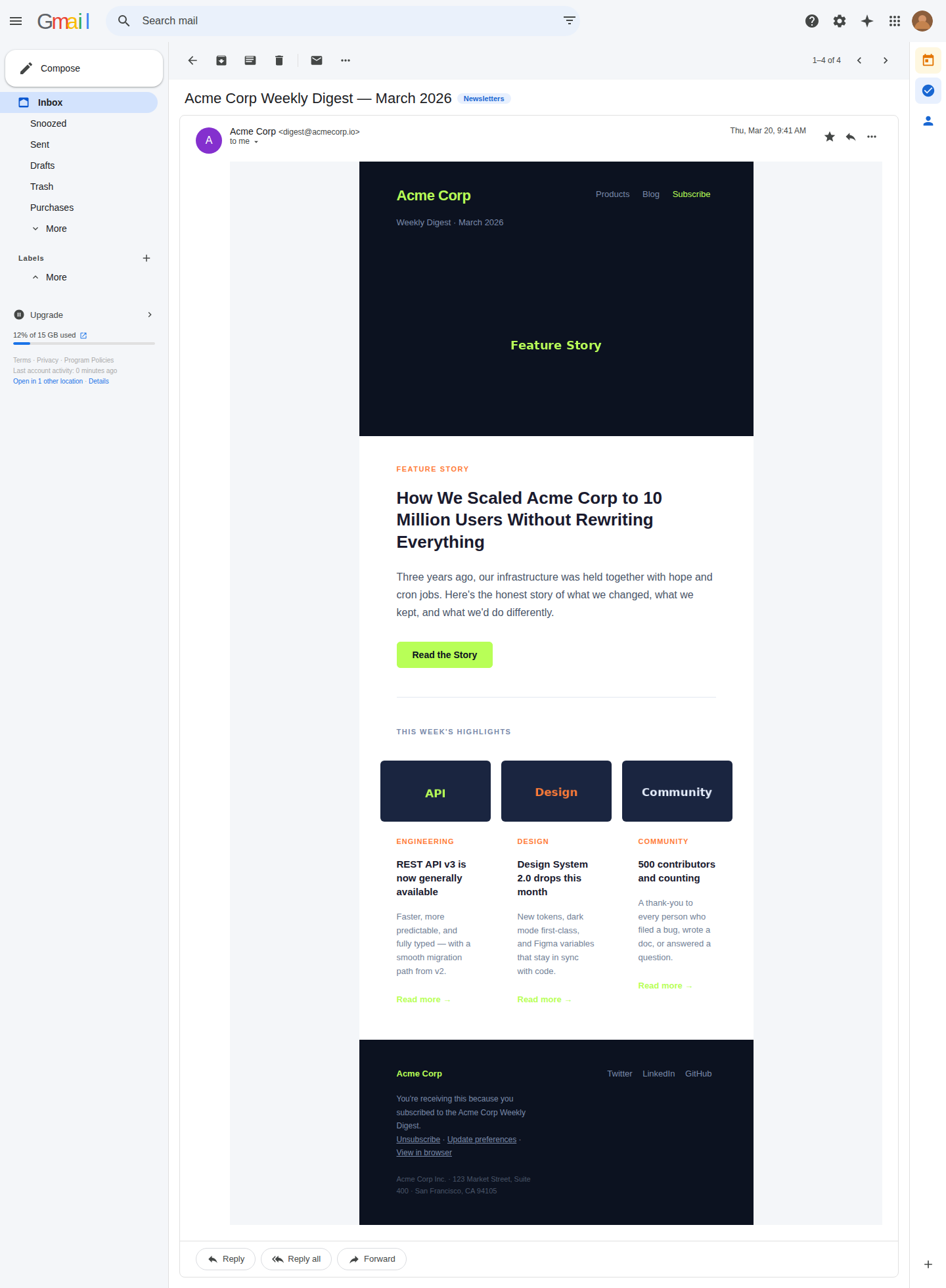
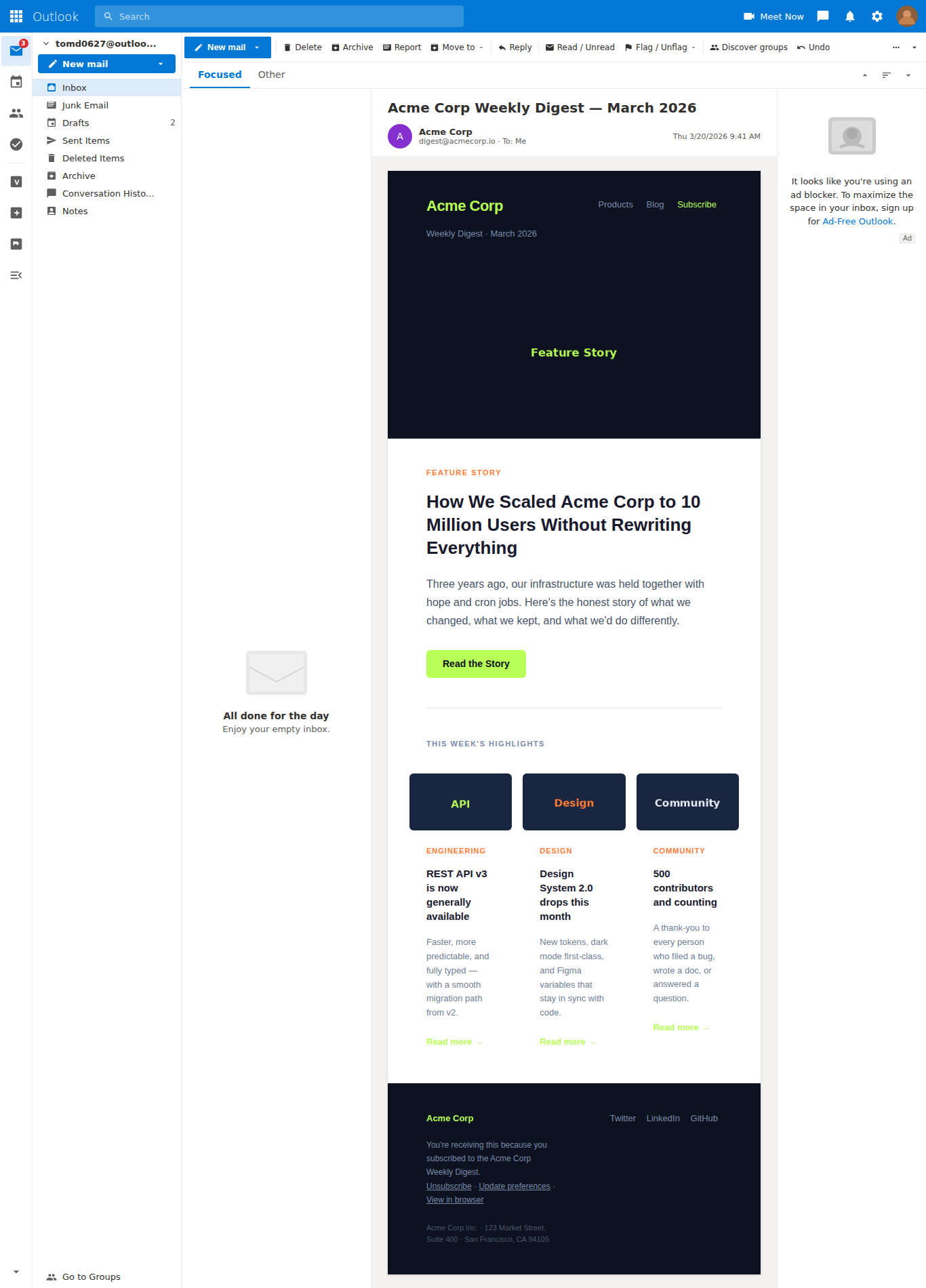
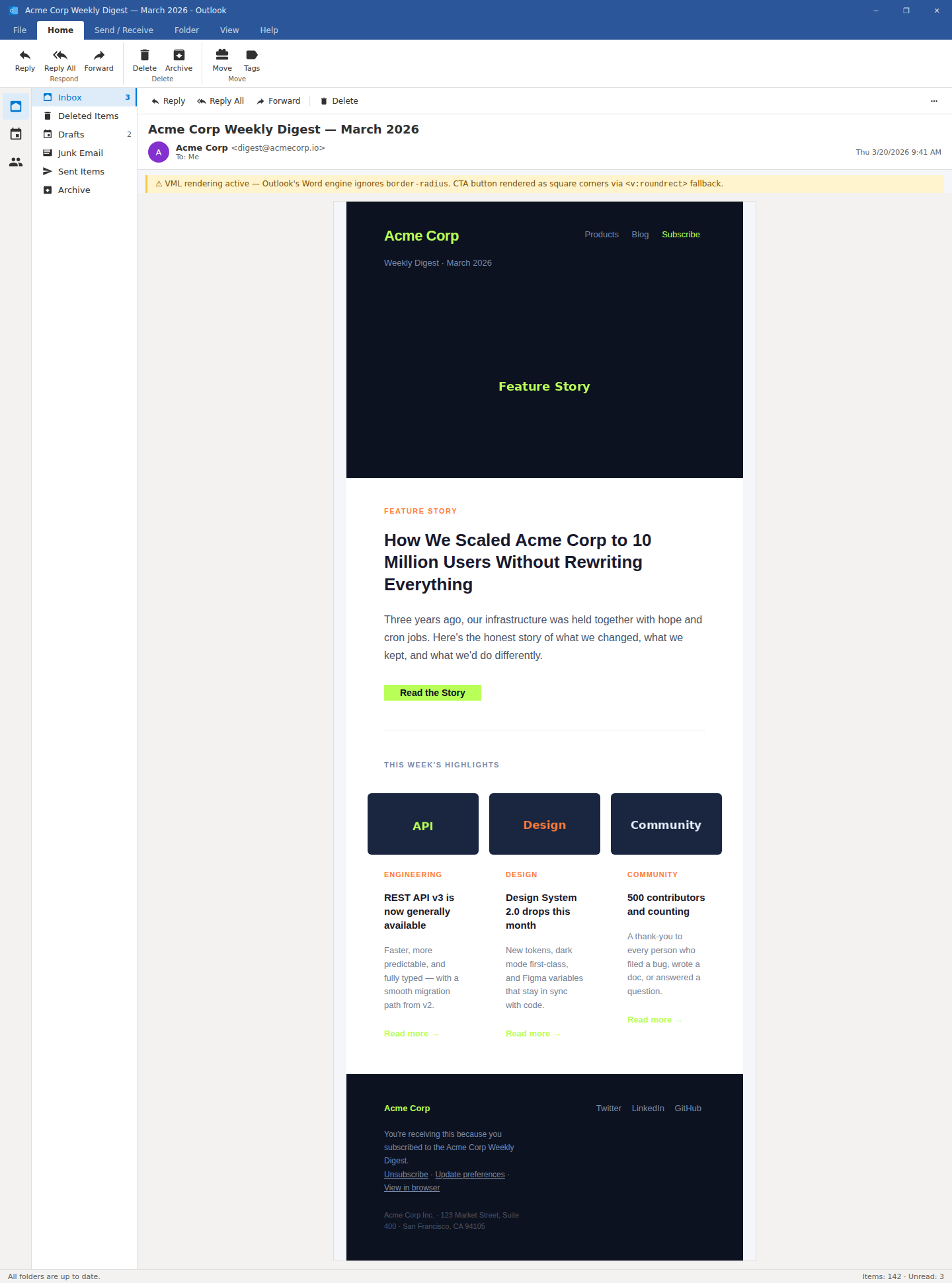
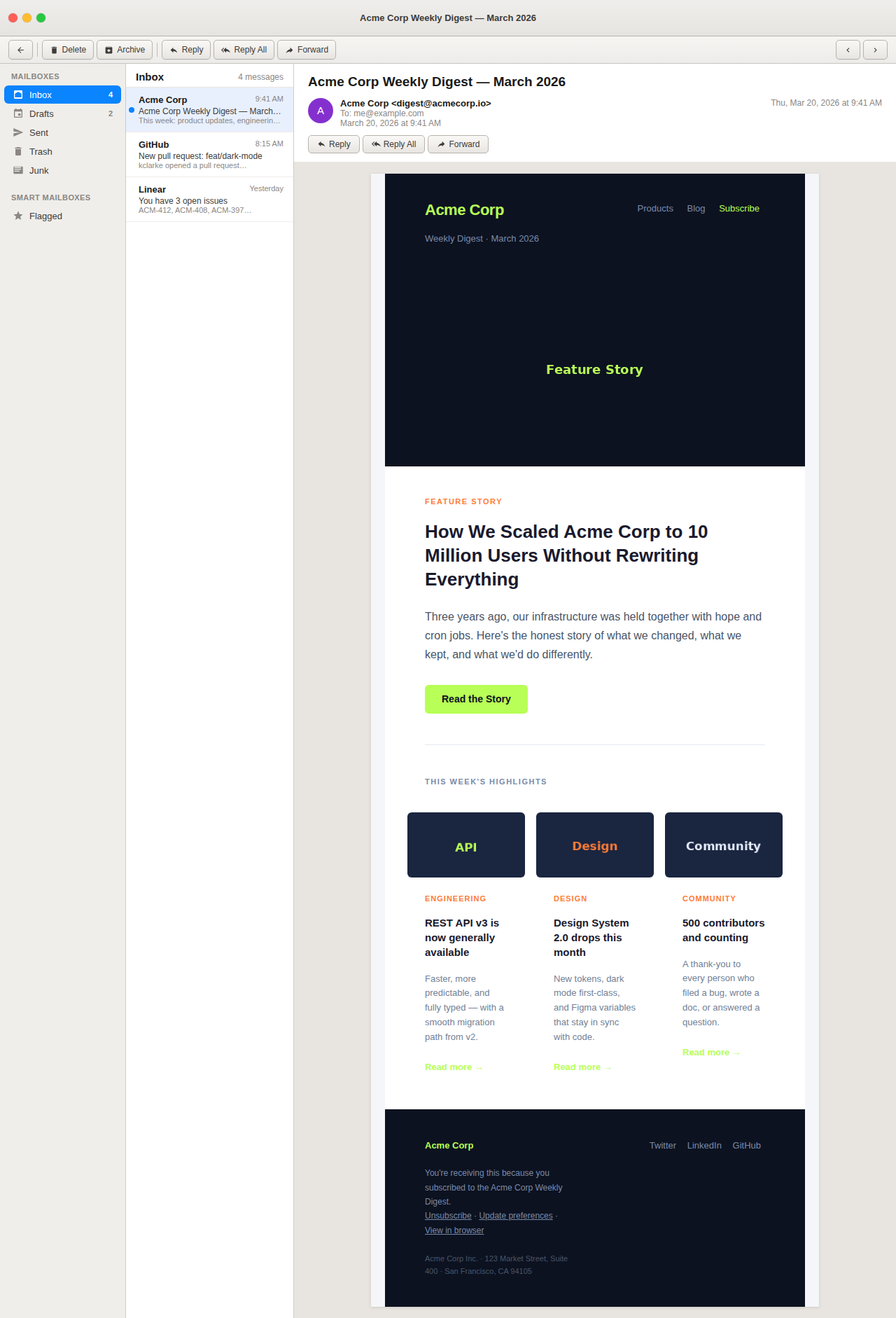
Email clients are notoriously inconsistent. MJML abstracts the worst quirks — here's how the templates hold up across the clients that matter most.

Workflow & Gotchas
The MJML-to-inbox pipeline, the quirks that bite you, and how to handle them.
The MJML compilation workflow
MJML templates (.mjml) are authored in a JSX-like component syntax
and compiled to email-safe HTML at build time by scripts/build-emails.js.
This keeps the source clean and readable while producing the inline-style-heavy HTML
that email clients require.
The build script uses mjml(source, { validationLevel: 'strict' })
and exits with a non-zero code on any validation error — so broken templates never
reach production.
# Compile all templates
npm run build:emails

# Start dev server (auto-compiles first)
npm run dev

# Production build
npm run build
Outlook and VML button fallbacks
Outlook 2007–2019 renders HTML using Microsoft Word's engine, which ignores
CSS border-radius. This means a styled <a> button
will appear as a flat rectangle with square corners.
The fix is a VML (Vector Markup Language) fallback wrapped in MSO conditional comments. VML is a legacy Microsoft format that Outlook's Word-based renderer does support. All templates in this project include it on every CTA button:
<!--[if mso]>
<v:roundrect xmlns:v="urn:schemas-microsoft-com:vml"
  href="#" style="height:44px;v-text-anchor:middle;width:180px;"
  arcsize="14%" stroke="f" fillcolor="#b8ff57">
  <w:anchorlock/>
  <center style="color:#0c1220;font-family:sans-serif;
    font-size:14px;font-weight:700;">
    Button Label
  </center>
</v:roundrect>
<![endif]-->
<!--[if !mso]><!-->
  <!-- MJML mj-button renders here -->
<!--<![endif]-->
Dark mode email support
Several email clients — including Apple Mail, iOS Mail, and newer versions of Outlook — auto-invert colors in dark mode. This can make a light-background email nearly unreadable.
Each template includes a @media (prefers-color-scheme: dark) block
inside <mj-style>. Key rules use !important to
override inline styles (which MJML generates) and target elements by CSS class names
applied via css-class attributes on MJML components.
Note: Gmail on Android does not support prefers-color-scheme and
applies its own color inversion. This is a known Gmail limitation with no reliable
workaround that doesn't break light-mode rendering.
Why all layout uses tables (and why that's correct)
Email clients strip <div>-based layouts. Flexbox and CSS Grid
are unsupported in Outlook and have inconsistent support elsewhere. MJML compiles
its component tree into nested HTML tables — the only reliable layout primitive
across all clients.
All layout tables in the compiled output include role="presentation"
to suppress screen reader table announcements. This is the correct accessibility
pattern for presentational tables in email.
On the portfolio site, you will not find any table-based layouts. CSS Grid and Flexbox are used throughout — this is intentional and correct. The table pattern belongs exclusively inside email HTML.
Gmail CSS stripping
Gmail strips <head> styles from emails that are not in Google
Workspace accounts (i.e., standard Gmail accounts). All styles must be inlined.
MJML handles this automatically during compilation.
Gmail also clips messages over ~102KB. Keep compiled HTML lean. Complex templates
in this project stay well under that limit — check the output of
npm run build:emails which logs compiled file sizes.
Class-based @media query overrides (for dark mode) still work in
Gmail when using Workspace — but not on free Gmail accounts. This is a known,
unavoidable limitation.
CAN-SPAM and accessibility requirements
All marketing and newsletter templates comply with CAN-SPAM Act requirements:
• Unsubscribe link present in footer
• Physical mailing address in footer
• Clear identification as a commercial message
• Honest subject lines (in <mj-title>)
Transactional templates (order confirmation, password reset) are exempt from unsubscribe requirements but include support and policy links in lieu.
Accessibility: all images have alt attributes, link text is
descriptive (no "click here"), and language is declared via lang on
<html> (MJML adds this automatically).
Tech Stack
A purposefully lean stack — every tool earns its place.
MJML 4.x
The email templating framework that compiles to battle-tested HTML. Handles table layouts, inline styles, and client quirks automatically.
Vite 6
Modern build tool and dev server. Zero-config for this project's vanilla JS + CSS setup, with sub-second HMR in development.
Vanilla JS (ES Modules)
No framework overhead for a static showcase site. Private class fields, async/await, IntersectionObserver, Clipboard API.
Prism.js
Syntax highlighting for MJML and HTML source code panels. Loaded via CDN — zero impact on the JS bundle size.
Netlify
Static deploy on Netlify's free tier. Every push to
master triggers an automatic build and deploy.
Mailtrap
Free SMTP sandbox for email testing. Compiled HTML is sent via
scripts/send-test.js and previewed in real clients.
Build Pipeline
.mjml source
.html